




Using VIP codes on TV
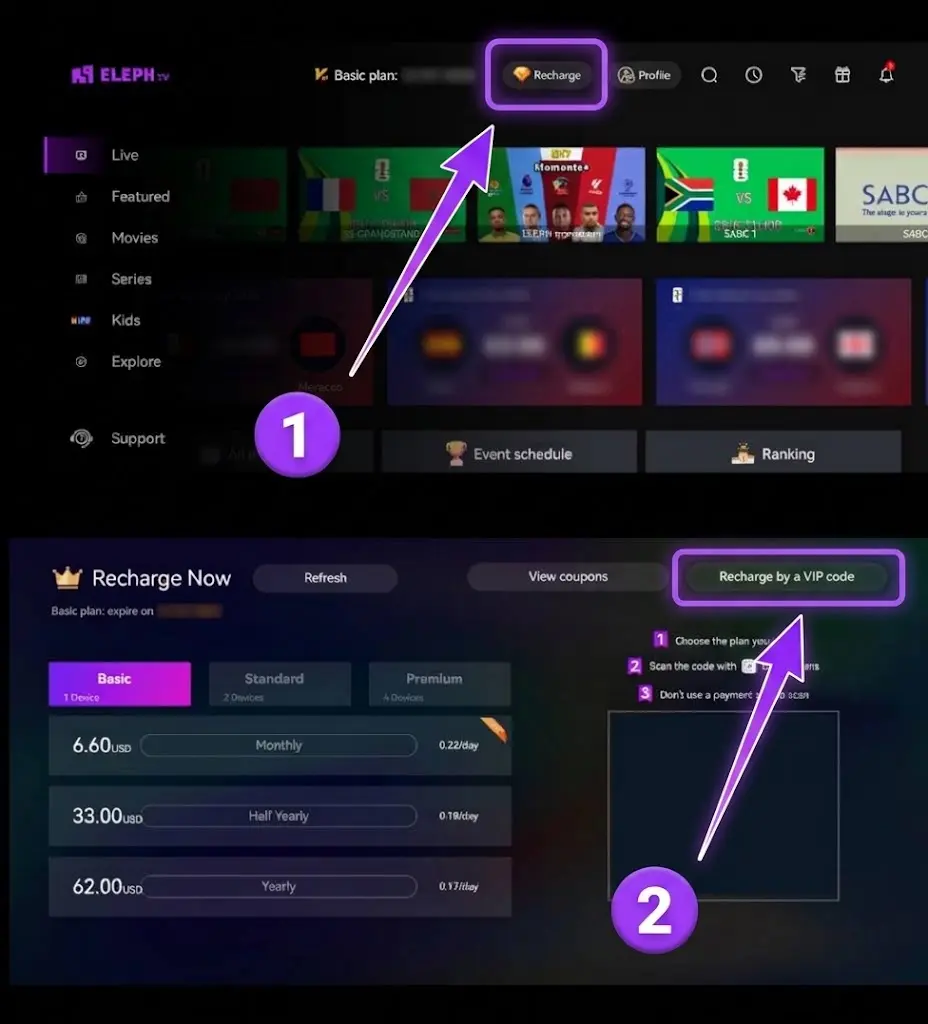
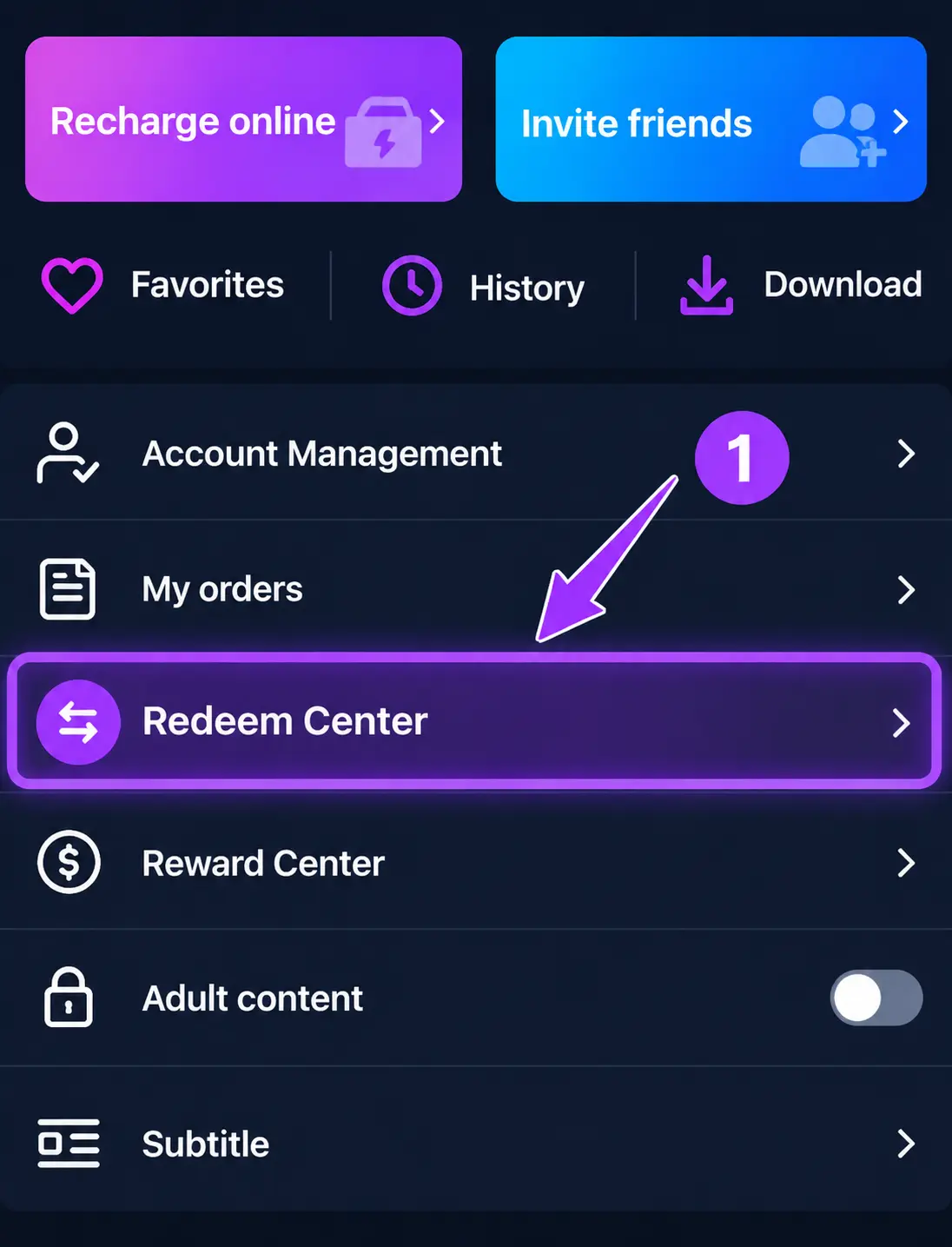
- 1Log in to your ElephTV app on TV first
- 2Press to the 'Recharge' button
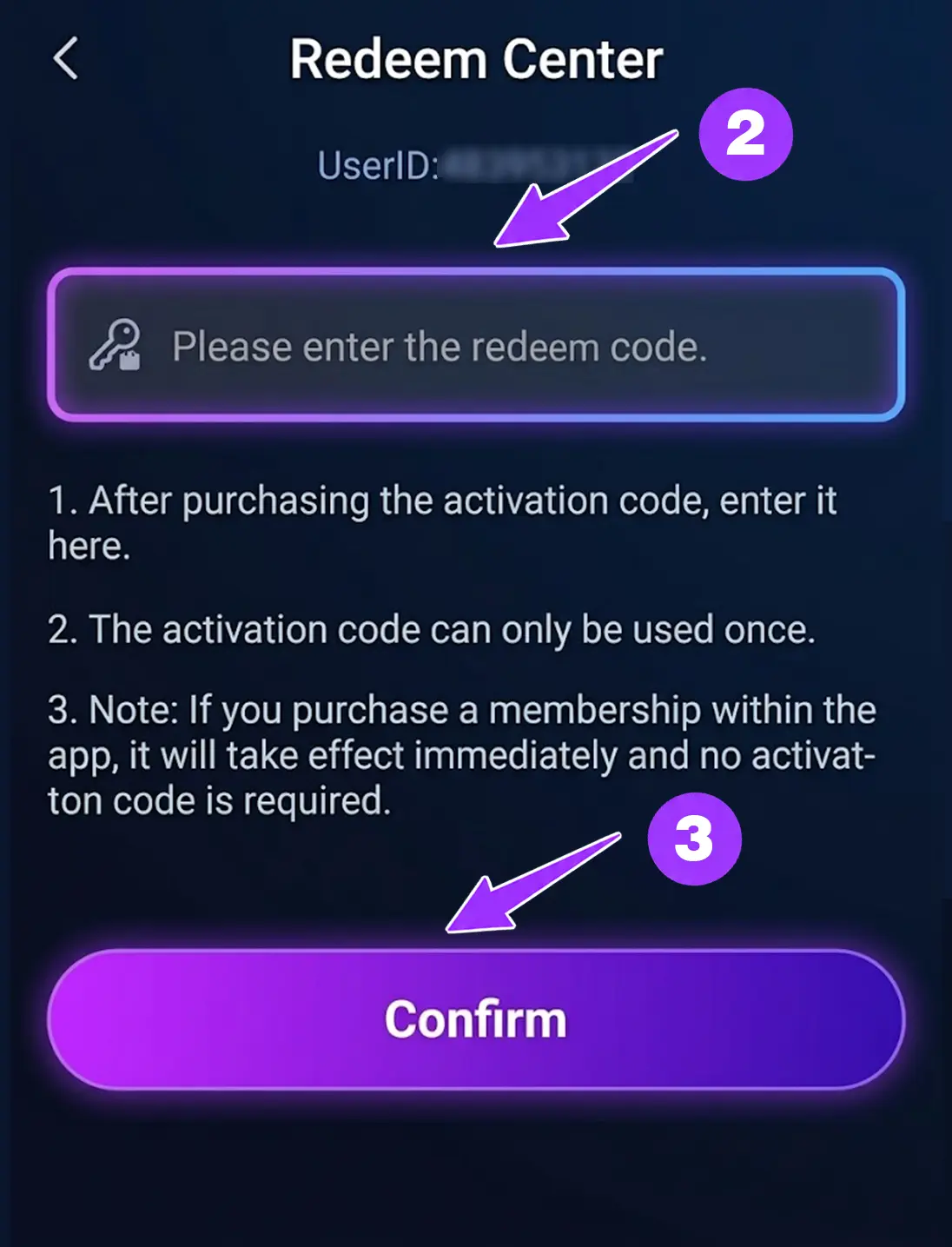
- 3Find the 'Recharge by a VIP code' option
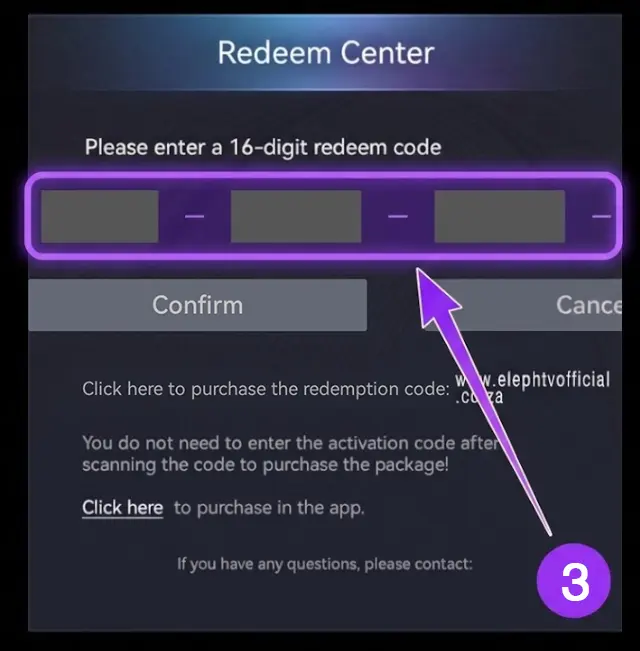
- 4Enter the Recharge VIP code and click 'Confirm' to recharge

Switch between live and on-demand, with endless content at your fingertips. Watch anywhere, anytime—enjoy crystal-clear, lag-free streaming
Flexibly select the best plan for your devices with secure payment and instant activation
1 month access
$5.8~R95/mo
Subscribe NowSupported Android devices: 1
$7~R115/mo
Subscribe NowSupported Android devices: 2
$13~R215/mo
Subscribe NowSupported Android devices: 4
Need More Plan Details?
Compare plans, pricing, supported devices, payment methods, and FAQs.
View Full Plan DetallsAccess the Play Store and download the app 'Downloader by AFTVnews'

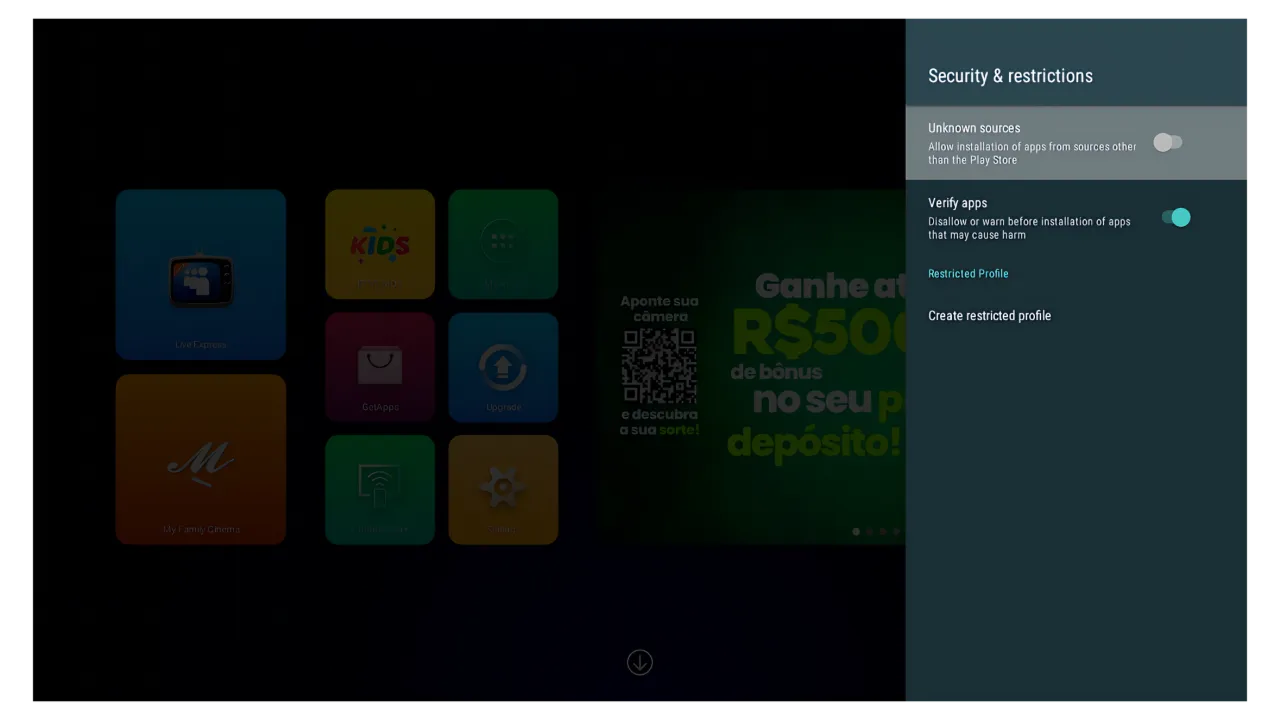
Go to settings > security & restrictions > enable apps from unknown sources.
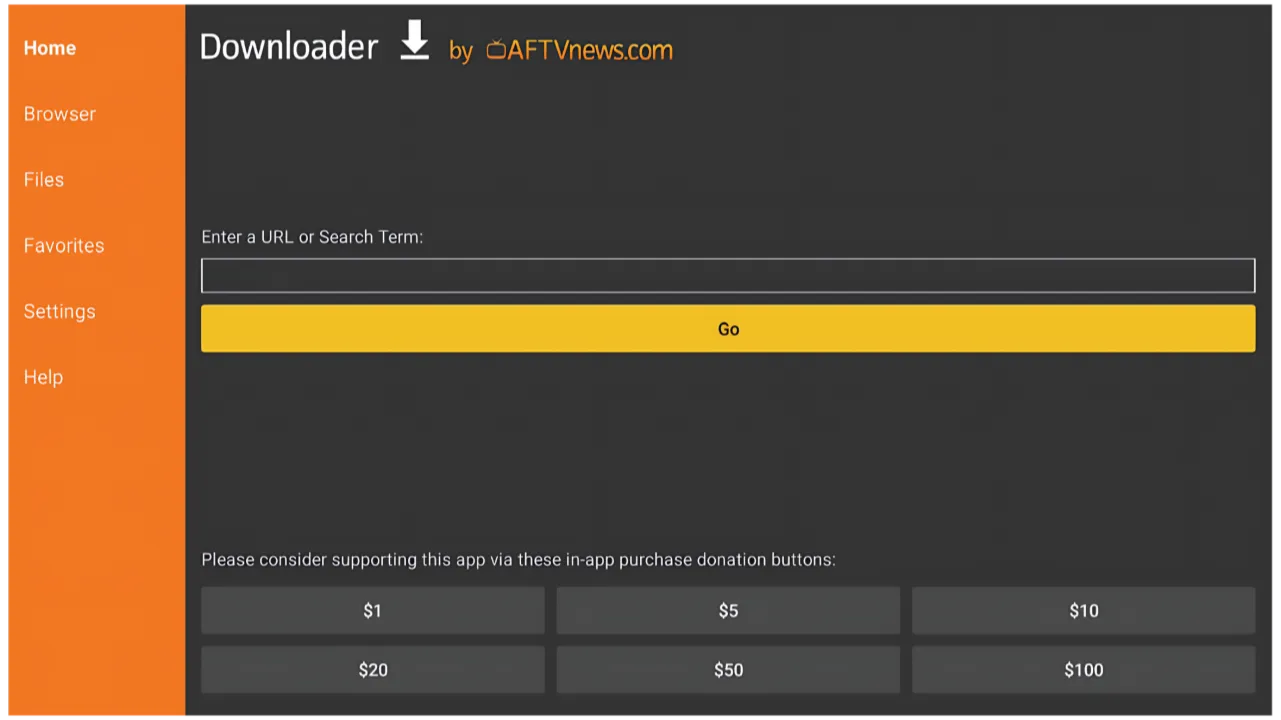
Open 'Downloader by AFTVnews' and type 6273077 to install the App
Need Installation Help?
See the full download guide for Android Mobile, Android TV, TV Box, and TV Stick.
View Full Download GuideEarn more as you sell more. Build your own streaming business
Perfect for South Africa. 100% stable and high renewal rates
No after-sales stress. Our team handles all technical queries for you
Have a question or want to become reseller?
Fill out the form below
We’ll get back to you within 24 hours.
Email: support@elephtvofficial.co.za